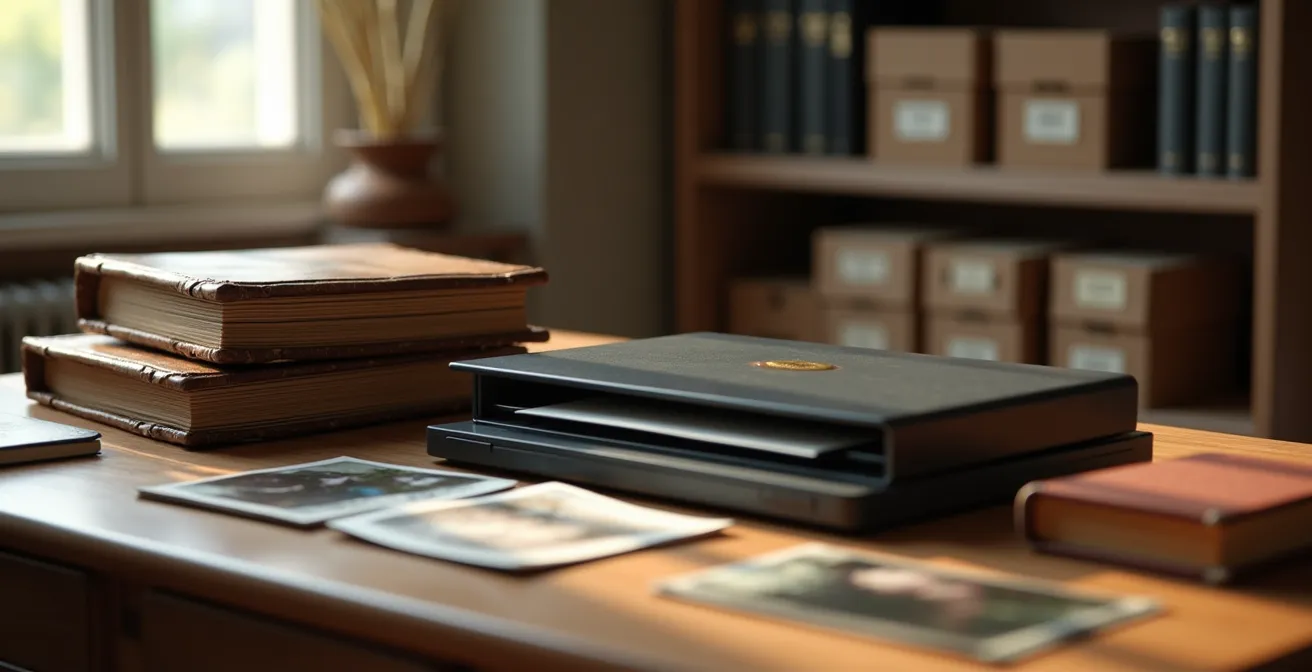
Contrary to popular belief, scanning is not the end of preservation, but the beginning. True digital archiving is an active, ongoing battle against both physical degradation and invisible digital entropy like ‘bit rot’. Securing your irreplaceable heirlooms for a century requires a multi-layered strategy of proactive maintenance, not just passive storage.
For any family historian, the box of old photographs in the attic is a treasure chest. It holds faces, moments, and stories that connect us to our past. The common impulse is to protect these memories by scanning them, creating a digital archive. But this is where a critical misunderstanding often occurs. Digitization is not a one-time fix; it is merely the first step in a new and complex preservation journey. The conventional wisdom often stops at “scan your photos,” overlooking the silent enemies that threaten our heritage.
The true challenges are far more insidious than a simple faded print. Physical media is in a constant battle with its environment, while digital files fight a hidden war against data degradation and technological obsolescence. Simply moving a photograph from a decaying album to a hard drive is like moving a patient from a crumbling hospital to a new one without a plan for their long-term care. Without the right protocols, you are merely trading one form of decay for another, faster one.
What if the key to longevity wasn’t in the act of scanning, but in the archival mindset you adopt? This guide abandons superficial tips and instead offers a professional archivist’s framework. We will treat your family history with the seriousness it deserves, focusing on the deep principles of preservation. We will explore how to manage the physical environment, choose the right digitization methods without causing damage, build a robust multi-generational storage plan, and actively combat the inevitable decay of digital information. This is not about saving files; it is about securing a legacy.
This article provides a detailed roadmap, broken down into key archival challenges, to guide you through building a truly permanent digital archive for your family’s history.
Summary: A Professional Framework for Digital Preservation
- Why Physical Photo Albums Degrade Faster in Attic Storage?
- How to Scan Fragile Documents Without Damaging the Paper?
- Cloud vs. Hard Drive: Which Storage Lasts Longer than 10 Years?
- The File Naming Mistake That Makes Archives Unsearchable
- When to Convert Digital Files: The 5 Signs of Format Obsolescence
- Why “Bit Rot” Destroys Digital Art Faster Than Paper Fades?
- Why Traditional Varnish Turns Yellow on Renaissance Paintings?
- Digital vs. Physical Archives: Which Method Truly Secures History for 100 Years?
Why Physical Photo Albums Degrade Faster in Attic Storage?
The attic or basement, common storage locations for family albums, are the worst possible environments for preservation. These spaces experience extreme fluctuations in temperature and humidity, which act as powerful catalysts for chemical decay. The primary culprit in older albums and documents is acid hydrolysis. Much of the paper and cardboard produced in the 19th and 20th centuries was made from wood pulp that is naturally acidic. Over time, this acid breaks down the cellulose fibers of the paper, causing it to become brittle, yellow, and eventually crumble.
High humidity accelerates this process, while heat provides the energy for these destructive chemical reactions to occur. According to research from archival preservation experts, high-quality, acid-free paper can remain stable for over 100 years, whereas acidic paper may degrade in as little as 20-50 years under poor conditions. Attics can easily reach temperatures above 100°F (38°C) in the summer, dramatically shortening the lifespan of your precious heirlooms. The glues used in photo albums are also often acidic, “burning” the images they are meant to hold.
To halt this degradation, you must move your collection to a stable, climate-controlled environment within your main living space. Think of your heirlooms as needing the same comfort you do: moderate temperature and humidity. Storing them in archival-quality, acid-free enclosures is a critical first step before you even consider digitization. This stabilizes the physical object and buys you time to execute a thoughtful digital preservation plan.
- Store photos in areas with stable 30-40% relative humidity to prevent acid hydrolysis and mold growth.
- Maintain temperatures consistently below 70°F (21°C) to slow the rate of chemical degradation processes.
- Use archival folders and boxes containing a calcium carbonate buffer, which helps to neutralize migrating acids from the items themselves or the environment.
- Separate different types of photographic prints (like cyanotypes and modern chromogenic prints) as their preservation needs can differ.
- Actively monitor storage areas with digital thermohygrometers to ensure conditions remain stable over time.
How to Scan Fragile Documents Without Damaging the Paper?
For a fragile, brittle document, the glass plate and bright light of a consumer flatbed scanner can be a death sentence. The physical pressure can crack paper, the intense light can accelerate fading, and the simple act of handling can cause irreplaceable pieces to break off. Professional archivists often avoid direct contact methods for highly valuable or fragile materials, and you should adopt the same caution. The goal is to capture the information without further harming the original artifact.
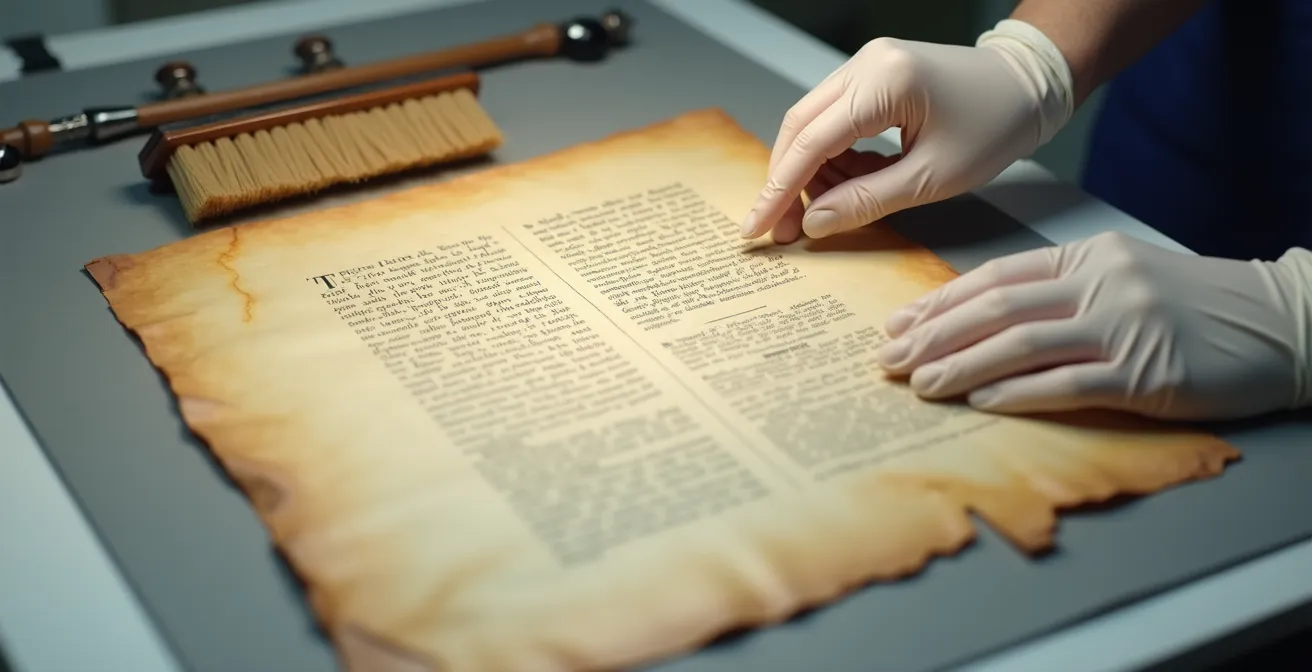
This is where the “camera as a scanner” method becomes essential. As demonstrated by conservation experts at institutions like the Amon Carter Museum, this technique involves using a high-resolution digital camera mounted on a copy stand, pointing down at the document. The document rests on a flat, neutral surface, and lighting is provided by two controlled lamps positioned at 45-degree angles to provide even, shadowless illumination. This setup eliminates any physical contact or pressure on the document. It also allows you to carefully handle the item with cotton gloves, ensuring no oils from your skin are transferred.
This photograph shows the meticulous care required for handling aged documents, a core principle in archival science.
For particularly brittle paper, a professional tip is to allow the document to acclimatize for 24 hours in the room where it will be scanned. This helps prevent shocks from sudden changes in humidity. If a flatbed scanner is your only option, place the document inside a protective archival polyester (Mylar) sleeve before scanning. This creates a barrier that holds fragments in place and allows you to handle the sleeve, not the document itself. Remember, the goal is preservation; the scan is the byproduct, not the ultimate objective.
Cloud vs. Hard Drive: Which Storage Lasts Longer than 10 Years?
The question of where to store your digital archive is not a simple choice between a physical hard drive and a cloud service. The archival answer is: you must use both, and more. No single storage medium is a permanent solution. Every option has a finite lifespan and a specific failure mode. A consumer-grade hard drive is not an archive; it’s a temporary container with a median lifespan of just a few years. Leaving your entire family history on a single external drive is a matter of *when*, not *if*, it will be lost.
Professional preservation relies on the 3-2-1 rule: maintain at least 3 copies of your data, on 2 different types of media, with 1 copy stored off-site. One copy could be on a local Network Attached Storage (NAS) array for easy access. A second copy could be on a different medium, like M-DISC optical media, designed for long-term deep storage. The third, off-site copy is perfectly suited for a cloud archival service like Amazon S3 Glacier or Backblaze B2, which protects you from local disasters like fire or flood.
The key is understanding that digital storage is not a passive activity. It requires active management, including periodic data migration and integrity checks. A hard drive must be replaced every 5-7 years, not because it will fail, but because you must assume it *could*. Here is how different long-term storage solutions compare, as outlined by preservation experts.
| Storage Type | Expected Lifespan | Migration Frequency | Best Use Case |
|---|---|---|---|
| Consumer Hard Drives | 3-6 years | Every 5 years | Active working copies |
| M-DISC Optical | 100-1000 years (claimed) | Format monitoring only | Deep archival backup |
| Cloud Storage (S3 Glacier) | Indefinite with fees | Automatic by provider | Offsite redundancy |
| RAID Arrays | 5-10 years | Every 5-7 years | Local redundant storage |
As the Northeast Document Conservation Center emphasizes, this strategy combines local accessibility with the resilience of off-site and varied media. According to their comprehensive backup strategy guidelines, proactive media migration is an essential and non-negotiable part of any digital preservation plan. Your digital files do not last longer than your commitment to maintaining them.
The File Naming Mistake That Makes Archives Unsearchable
A common piece of advice is to use descriptive file names, like `1965-07-04_Family-Picnic_Smith-Jones.tif`. While this is a good start, it’s a fragile and incomplete solution. Relying solely on file names is a critical mistake because file names can be easily changed, stripped by software, or become too cumbersome to manage. The true, permanent solution to searchability is to embed information *inside* the file itself using metadata.
Metadata is data about data. For an image file, this can include who is in the photo, where it was taken, the date of the original photograph, and even notes about its condition or the story behind it. Standards like IPTC and XMP allow this information to be written directly into the file’s code. This means that no matter how the file is renamed or where it’s moved, the crucial context travels with it. Software like Adobe Bridge, digiKam (open source), or PhotoPrism can read and write this embedded data, turning your collection of files into a searchable database.
The biggest mistake is treating metadata as an afterthought. It should be an integral part of your scanning workflow. Before you even begin, create a “controlled vocabulary”—a consistent list of names, places, and terms. For example, always use “William ‘Bill’ Smith” instead of sometimes using “Bill Smith” or “W. Smith.” This consistency makes searching reliable. This approach transforms your archive from a pile of digital objects into a web of interconnected history.
Your 5-Step Metadata Embedding Protocol
- Establish a Controlled Vocabulary: Before you start, create a master document defining the exact spelling and format for every person’s name, place, and key event. This is your single source of truth.
- Select Your Tool and Embed Data: Choose a metadata editor like Adobe Bridge or digiKam. As you process each scan, use your controlled vocabulary to embed key information (names, dates, places, stories) directly into the file’s IPTC/XMP fields.
- Tag the Physical Origin: Use a dedicated metadata field to document where the physical original is stored (e.g., “From Blue Morgan Album, Box 12, Shelf 3”). This creates a crucial link between the digital and physical worlds.
- Automate with AI (Locally): Use a self-hosted tool like PhotoPrism to run facial recognition on your collection. This can automatically suggest tags for people, which you can then verify against your controlled vocabulary, saving enormous amounts of time.
- Schedule Regular Audits: Once a year, randomly select a sample of files and verify that the metadata is intact and readable in different software. This confirms that no data has been corrupted or stripped during file transfers or backups.
When to Convert Digital Files: The 5 Signs of Format Obsolescence
In the digital world, the container is as important as the content. Your meticulously scanned TIFF files are useless if, 50 years from now, no software can open them. This is the threat of format obsolescence. Unlike a physical book, which only requires human eyes, a digital file requires a complex chain of hardware and software to be rendered. If any link in that chain breaks, the file is effectively lost. This is not a hypothetical threat; formats like Kodak Photo CD, a popular choice in the 1990s, are now notoriously difficult to access.
Active management is the only defense. You must act as a vigilant curator of your formats, ready to migrate your collection to new, more stable formats before the old ones become obsolete. The goal is to normalize your collection to widely adopted, open, and well-documented formats like TIFF for master images, FLAC for audio, and PDF/A for documents. Proprietary formats that lock you into a single vendor’s ecosystem (like older, proprietary RAW camera formats) carry a much higher risk.
But how do you know when it’s time to migrate? The Library of Congress, which manages one of the world’s largest digital collections, provides a professional framework. You must actively monitor the technological landscape for signs of a format’s decline. Waiting until you can no longer open a file is waiting too long. The migration must happen when the tools are still readily available. According to digital preservation workshop guidelines, monitoring is an ongoing, active process.
Here are the key signs that a format may be heading for obsolescence:
- Major software providers (like Adobe or Microsoft) remove the ability to *save* in that format, a leading indicator of decline.
- The format is listed as having a lower preservation rating in the annual Library of Congress Recommended Formats Statement.
- The format is proprietary and can only be opened by software from a single vendor that may go out of business.
- The technical specifications for the format are not publicly documented, making it impossible for future developers to build new readers.
- The format has been superseded by a newer version for more than a decade, and community support is waning.
Why “Bit Rot” Destroys Digital Art Faster Than Paper Fades?
While a physical photograph fades gradually over decades, a digital file can be lost completely in an instant due to a silent phenomenon known as data degradation, or “bit rot.” Your digital image is not a picture; it’s a vast sequence of ones and zeros stored on a physical medium. Bit rot is the spontaneous, random flipping of one of these bits (a 1 to a 0, or vice versa) due to cosmic rays, electromagnetic interference, or simple media decay. A single flipped bit in a text file might be a typo, but in a compressed image file, it can render the entire file unreadable, creating a corrupt block or a “glitch” that destroys part of the image.
The terrifying part of bit rot is that it’s often silent. Your backup software might dutifully copy a corrupted file for years, overwriting every good copy with the damaged one. You only discover the problem when you try to open the file a decade later, and by then, it’s too late. This is a fundamental way digital failure differs from physical failure: it is often catastrophic and absolute, not gradual.
The only professional way to combat bit rot is with a filesystem that actively protects data integrity. Standard filesystems on Windows (NTFS) and macOS (APFS) do not offer comprehensive protection against silent corruption of user data. A modern, robust filesystem like ZFS or Btrfs is designed for this purpose. These systems perform a process called “scrubbing.” They regularly read all your data and compare it against a stored checksum (a unique digital fingerprint) for that block of data. If the checksums don’t match, the system knows bit rot has occurred, and it can automatically repair the file using parity information, often without any user intervention. As Red Hat’s research on filesystems shows, this self-healing capability is the only true defense. Furthermore, data preservation research indicates that regular “refresh” cycles, or scrubs, should be performed to ensure data legibility and combat silent decay.
Why Traditional Varnish Turns Yellow on Renaissance Paintings?
To understand a key risk in digital preservation, it helps to look at a classic problem in art conservation. The natural resin varnishes used by Renaissance masters were intended to protect the paint and saturate the colors. However, over centuries, this varnish oxidizes, cross-links, and yellows, obscuring the masterpiece underneath. Conservators face a difficult choice: remove the yellowed varnish and risk damaging the original paint, or leave it and accept the distorted view. The varnish, meant to be a protective layer, becomes part of the problem.
In the digital world, the JPEG file format is the equivalent of a cheap, yellowing varnish. JPEGs use “lossy” compression, meaning they discard a small amount of visual information each time you save them to keep file sizes small. Like applying a fresh coat of varnish, every re-save of a JPEG degrades the original image underneath. This is known as generational loss. If you open a JPEG, make a small edit, and save it again, you have applied another “layer” of compression. After several generations, the image becomes a blurry, artifact-ridden shadow of the original.
For this reason, no archivist would ever use JPEG as a preservation format. The master archival file should always be saved in a lossless format, like TIFF. A TIFF file is like a perfect digital negative; it retains 100% of the original scan data, no matter how many times you open or copy it. As experts at Family Tree Magazine explain, the workflow should be: scan once at high resolution and save as a TIFF for the archive. From this pristine master TIFF, you can then create smaller JPEG copies for sharing online or via email. You never, ever edit and re-save the master TIFF as a JPEG. You protect the original, just as a museum conservator protects the original paint under the varnish.
Key Takeaways
- Preservation is an active, ongoing process of management, not a passive, one-time task of storage.
- The enemies of your archive are both physical (acid, humidity, light) and digital (bit rot, format obsolescence).
- A multi-layered strategy using the 3-2-1 rule, lossless formats, and integrity checks is non-negotiable for long-term security.
Digital vs. Physical Archives: Which Method Truly Secures History for 100 Years?
After exploring the myriad threats to both physical and digital artifacts, the question remains: which method is truly safer for a century-long horizon? The answer is nuanced and surprising. Neither is a “set it and forget it” solution. Both require active, informed stewardship, but the nature of that stewardship is vastly different. A physical artifact, stored correctly, is in a state of managed, slow decay. A digital artifact is in a state of constant, active maintenance, where a single moment of neglect can lead to total loss.
Paper, when manufactured to archival standards, has a proven track record. As international preservation standards confirm, paper meeting the ISO 9706 archival specification is designed to last for several hundred years under optimal climate-controlled conditions. Its failure mode is gradual and often predictable. You can see it yellowing, feel it becoming brittle. It gives you warning.
A digital file offers no such warning. It is either perfect or gone. Its survival is entirely dependent on a chain of technology—hardware, software, and formats—that is in a state of perpetual revolution. Preserving a digital file for 100 years means you are committing to migrating it through dozens of successive storage devices and potentially several format changes, all while actively defending it against silent corruption. The following table breaks down the core differences in preservation requirements.
| Aspect | Digital Archives | Physical Archives |
|---|---|---|
| Active Maintenance | Migration every 5-7 years | Climate control only |
| Primary Threats | Format obsolescence, bit rot | Acid, humidity, light |
| Storage Requirements | Multiple copies, different locations | Single climate-controlled space |
| Access Method | Requires current technology | Direct visual inspection |
| Failure Mode | Complete loss if unmaintained | Gradual degradation |
Ultimately, the most robust archive is a hybrid one. The digital archive provides unparalleled access, searchability, and the ability to share history without risking the original object. The physical archive, however, remains the ultimate failsafe, the tangible original that can outlast technological upheaval if cared for properly. The goal of digital archiving is not to replace the original, but to create a resilient, accessible surrogate that protects the original from excessive handling and the ravages of time.
Begin implementing these archival protocols today. By adopting a professional mindset and a proactive strategy, you can build a digital archive that truly honors your family’s legacy and secures it for the next century.