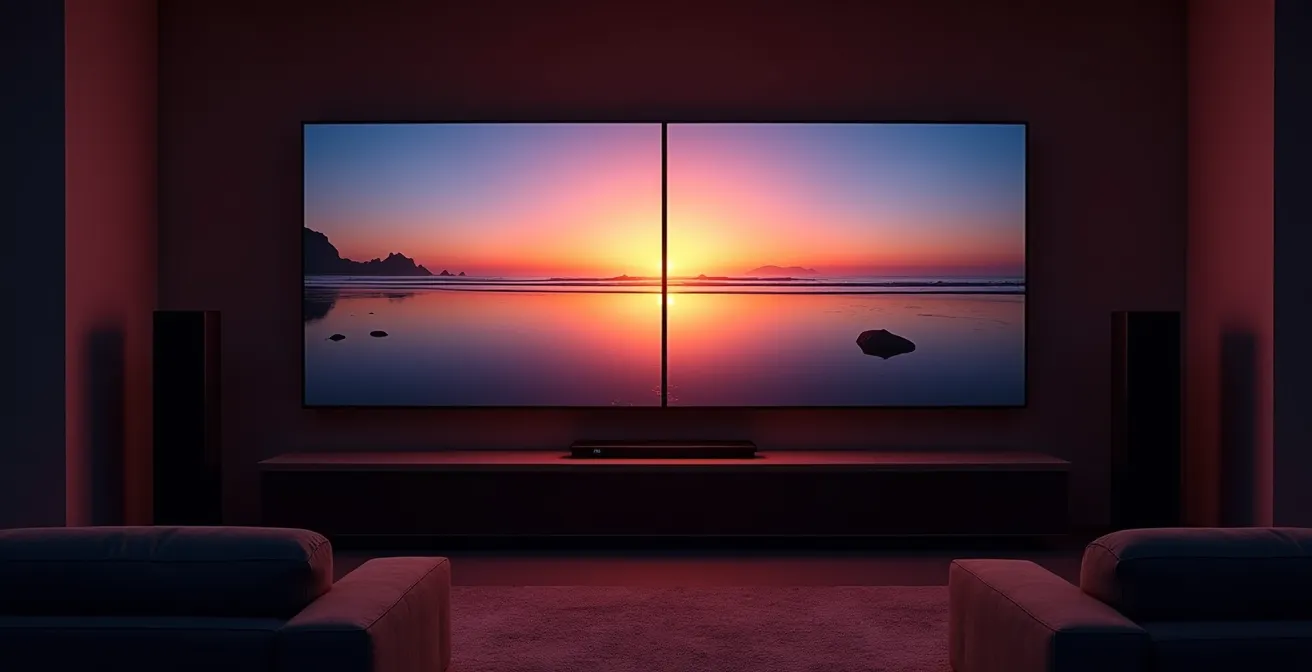
The Dolby Vision vs. HDR10+ debate is misleading; true High Dynamic Range performance hinges on your display’s hardware capabilities and the integrity of the content’s mastering, not just the format’s logo.
- Dynamic metadata (Dolby Vision, HDR10+) offers scene-by-scene optimization, but is only effective on displays with sufficient peak brightness (ideally 1000+ nits) and color volume.
- Content availability is fragmented, with streaming services and physical media offering different levels of support and quality for each format.
Recommendation: Prioritize acquiring a display with the highest possible peak brightness and widest color gamut your budget allows, then verify content sources, rather than focusing solely on a specific format.
For home theater builders and content creators, the landscape of High Dynamic Range (HDR) technology often feels like a battlefield. The primary conflict pits two advanced formats against each other: Dolby Vision and HDR10+. Most discussions devolve into a simple comparison of specifications, suggesting one is definitively “better” than the other. This often revolves around surface-level points like bit-depth and licensing models, leaving enthusiasts and professionals alike confused about what truly matters for picture quality.
The common advice is to simply pick the format supported by your favorite streaming service or TV brand. However, this approach overlooks the fundamental technical realities of the HDR signal chain. Factors like content mastering, display hardware limitations, and the nuanced interpretation of metadata play a far more significant role in the final image than the logo on the box. A TV that technically supports Dolby Vision but lacks the necessary peak brightness can produce a worse image than a well-implemented HDR10 display.
This article moves beyond the simplistic format war. Our angle is rooted in a video calibration expert’s perspective: the key to exceptional HDR is not about choosing a winning format, but about understanding how the entire ecosystem—from the colorist’s studio to your screen—works together. We will dissect the technical underpinnings of dynamic metadata, the economic realities driving adoption, the hardware bottlenecks that compromise quality, and the critical role of proper calibration.
By exploring these interconnected elements, you will gain the technical literacy needed to make informed decisions, whether you are building a reference-level home cinema or mastering content for distribution. This guide will provide a clear path through the marketing noise, focusing on the engineering and practical application that define a truly breathtaking HDR experience.
This comprehensive guide breaks down the critical technical and practical differences between the leading HDR formats. Explore the sections below to understand the nuances that determine real-world image quality.
Summary: A Deep Dive into HDR Standards
- Why Dynamic Metadata Matters for Scenes with Varying Brightness?
- The Royalty Fee That Keeps Dolby Vision off Budget TVs
- Stream or Disc: Where Can You Actually Find Dolby Vision Content?
- The “Fake HDR” Trap: Why 300 Nits Isn’t Enough?
- Calibrating HDR: Why Your Old Colorimeter Won’t Work?
- The File Naming Mistake That Makes Archives Unsearchable
- Why Composition and Master Rights Generate Two Different Checks?
- Native 4K vs. Upscaled: Is the Hardware Cost Justified?
Why Dynamic Metadata Matters for Scenes with Varying Brightness?
The fundamental difference between baseline HDR10 and the more advanced formats like Dolby Vision and HDR10+ lies in the type of metadata they use. HDR10 employs static metadata, which provides a single set of instructions for the entire piece of content. It tells the display the maximum brightness of the content (MaxCLL) and the average brightness of the frame with the highest average light level (MaxFALL). The TV then uses this one-size-fits-all information to map the content’s brightness to its own capabilities, a process known as tone mapping.
In contrast, Dolby Vision and HDR10+ use dynamic metadata. This allows for brightness and color information to be adjusted on a scene-by-scene or even frame-by-frame basis. For a film that transitions from a dark, moody interior to a bright, sunlit exterior, dynamic metadata provides the display with specific instructions for each scene. This ensures that shadow detail is preserved in the dark shots without clipping the specular highlights in the bright ones. While HDR10 held the largest market share in 2023, the push for dynamic metadata is driven by its superior ability to honor the creator’s original intent across a wide range of display capabilities.
This granular control is what prevents the washed-out blacks or blown-out highlights that can occur when a display has to make a single compromise for an entire film. The illustration below visualizes this concept, showing how different scenes are optimized independently.

As you can see, the ability to adapt is crucial. A display receiving dynamic metadata can precisely render both the dim candlelight of a medieval hall and the brilliant flash of an explosion in the next frame. This process ensures the maximum dynamic range of the display is used effectively at all times, leading to a more impactful and detailed viewing experience that is truer to the source material.
The Royalty Fee That Keeps Dolby Vision off Budget TVs
While HDR10 and HDR10+ are open or royalty-free standards, Dolby Vision operates on a licensing model. This is a significant factor in its market adoption, particularly in the budget and mid-range television segments. For a manufacturer to include Dolby Vision on a device, they must pay a royalty to Dolby Laboratories. This fee covers the use of Dolby’s proprietary technology, including its advanced tone-mapping algorithms and certification process.
The cost itself is not exorbitant on a per-unit basis. According to Dolby’s own executives, the royalty cost for Dolby Vision is less than $3 per TV. While this seems negligible for a premium television that costs thousands of dollars, it becomes a more significant factor for manufacturers operating on razor-thin margins in the highly competitive budget market. When producing millions of units, even a small fee adds up, creating a financial incentive to opt for the royalty-free HDR10+ alternative or to simply stick with the mandatory baseline HDR10.
This licensing structure creates a tiered market. Premium brands like LG, Sony, and Panasonic often include Dolby Vision as a key feature to attract discerning buyers, while brands focused on value, such as TCL and Hisense (though they now offer it on higher-end models), have historically leaned more heavily on HDR10+. The table below outlines the fundamental differences in the business models of these formats.
| Format | License Type | Cost Impact | Implementation |
|---|---|---|---|
| HDR10 | Open Standard | Free | Universal Support |
| HDR10+ | Royalty-Free | Max $10,000/year | Growing Support |
| Dolby Vision | Licensed | $2-3 per device | Premium Devices |
Ultimately, the fee is not just for a logo but for access to Dolby’s end-to-end ecosystem, which includes content creation tools, stringent device certification, and a sophisticated mapping engine. For premium manufacturers, this cost is justified as a mark of quality. For budget manufacturers, it’s a calculation that often leads them to favor free alternatives, explaining why Dolby Vision remains a predominantly premium feature.
Stream or Disc: Where Can You Actually Find Dolby Vision Content?
A superior format is useless without content. For home theater enthusiasts, the availability of Dolby Vision and HDR10+ content is a critical and often confusing part of the equation. The landscape is fragmented across streaming services and physical media, with each having its own strategy. Generally, Dolby Vision has a strong foothold in subscription video on demand (SVOD), while HDR10+ has been championed by a few key players.
On the streaming front, Netflix and Disney+ are the biggest proponents of Dolby Vision, offering a vast library of their original series and films in the format, typically restricted to their premium subscription tiers. Amazon Prime Video has historically been the primary backer of HDR10+, but in a sign of the shifting landscape, many of its flagship titles like *The Lord of the Rings: The Rings of Power* are now offered in both formats. Apple TV+ is agnostic, supporting both Dolby Vision and HDR10+ across its content. Other services like Hulu, Paramount+, and YouTube TV have primarily focused on HDR10 or have a growing selection of HDR10+ titles.
For those who demand the highest possible quality, UHD Blu-ray discs remain the reference standard. All UHD Blu-ray discs must include a baseline HDR10 layer. Many discs, particularly from major studios like Warner Bros., Universal, and Paramount, also include a Dolby Vision enhancement layer. This often delivers a superior experience to streaming due to higher bitrates and less compression. HDR10+ on disc is less common but is supported by some studios, most notably 20th Century Studios and Warner Bros. on select titles.
The choice is not always simple. A film might be available in Dolby Vision on a streaming service but only in HDR10 on its initial UHD Blu-ray release, or vice-versa. This requires consumers to be vigilant and check the specifics of each release, as the best-available HDR version can vary between physical and digital storefronts.
The “Fake HDR” Trap: Why 300 Nits Isn’t Enough?
One of the most significant sources of confusion in the HDR market is the “HDR compatible” label found on many budget televisions. A display can be technically capable of receiving and decoding an HDR signal (like HDR10) but lack the fundamental hardware to display it properly. This creates a trap for consumers, who purchase a TV believing they are getting a true High Dynamic Range experience, only to be met with a dim, washed-out, or unnatural picture. The core of this issue lies in a display’s peak brightness and color volume.
HDR content is mastered with the assumption that a display can produce very bright highlights. The unit for measuring this brightness is a “nit” (or candela per square meter). While a standard dynamic range (SDR) TV might produce around 100-200 nits, true HDR requires significantly more output to render specular highlights—like the sun reflecting off a car or a bright explosion—with realistic intensity. A display with a peak brightness of only 300-400 nits cannot physically reproduce these highlights. It must aggressively tone map (compress) the dynamic range, which often crushes detail in both the brightest and darkest parts of the image, resulting in a picture that can look worse than its SDR counterpart.
To combat this, industry certifications like VESA’s DisplayHDR were created. While there are lower tiers, many experts agree that a truly impactful HDR experience begins with displays that meet or exceed the DisplayHDR 1000 standard. A key finding is that DisplayHDR 1000 certification requires 1000+ nits peak brightness and also mandates excellent black levels, creating the high contrast ratio that makes HDR so compelling. Without this level of brightness, the “pop” and realism of HDR are lost. Therefore, a TV’s peak nit output is a far more important specification to consider than simply which HDR formats it claims to support.
In summary, while a logo for Dolby Vision or HDR10+ indicates compatibility with advanced metadata, it’s the raw performance of the panel—its ability to get very bright and very dark—that ultimately determines the quality of the final image. A 400-nit “HDR” TV is a marketing checkbox, not a true high-performance display.
Calibrating HDR: Why Your Old Colorimeter Won’t Work?
For the serious home theater builder or content creator, achieving an accurate image is paramount. This is where calibration—the process of adjusting a display to meet industry standards—comes in. However, HDR calibration presents a unique set of challenges that render older equipment and techniques obsolete. An old colorimeter designed for SDR’s 100-nit world is simply not equipped to measure the extreme brightness levels or the vast color gamuts of modern HDR displays.
SDR calibration targets a specific color space (Rec. 709) and a relatively low peak brightness. HDR, on the other hand, targets a much wider color space (BT. 2020) and a vastly higher range of luminance levels. Older colorimeters suffer from sensor saturation when trying to measure the 1000+ nit peaks of a high-end HDR display, leading to inaccurate readings. Furthermore, they often lack the correct filters to accurately profile the spectral output of modern display technologies like OLED or Quantum Dot, resulting in color errors.
The increased precision of advanced HDR formats also demands more from calibration. Dolby Vision, for instance, uses a 12-bit color depth, providing 68 billion colors, compared to the 1 billion colors of 10-bit HDR10. Measuring and verifying this level of color fidelity requires a modern, high-quality spectrophotometer or a colorimeter specifically designed for HDR workflows. Professional calibration software like Calman is essential for generating the 3D LUTs (Look-Up Tables) needed to correct for panel inaccuracies across the entire luminance and color volume.
For content creators, this is even more critical. Mastering content in Dolby Vision requires a calibrated reference monitor that costs tens of thousands of dollars, ensuring that the dynamic metadata they embed accurately reflects their creative intent. Without this reference-level accuracy, the entire HDR promise falls apart. For the end-user, while a full professional calibration is the gold standard, even using a display’s most accurate preset (often labeled “Filmmaker Mode” or “Calibrated”) is a crucial first step.
Action Plan: Your HDR Display Setup Audit
- Picture Mode: Select the most accurate out-of-the-box picture mode, typically named “Filmmaker,” “Cinema,” “Calibrated,” or “ISF.” Avoid “Vivid” or “Dynamic.”
- Core Settings: Disable all non-essential processing. Turn off motion smoothing (“TruMotion,” “MotionFlow”), dynamic contrast, black level enhancers, and noise reduction. Set sharpness to 0 or its neutral setting.
- HDR Tone Mapping: Check for a tone mapping setting. If available, set it to “Static” or “Off” when calibrating to measure the panel’s native performance. For viewing, “Dynamic” or “Active” might be preferred if your display has a good mapping engine.
- Color Space: Ensure the color space setting is on “Auto.” This allows the display to correctly switch between Rec. 709 for SDR content and BT. 2020 for HDR content.
- Source Device Check: Verify that your source device (streaming box, Blu-ray player) is set to output the correct HDR signal and that your HDMI cable is a certified “Ultra High Speed” cable for full bandwidth.
The File Naming Mistake That Makes Archives Unsearchable
While consumers debate which format looks best on their TV, content creators and media archivists face a more pragmatic problem: how to manage the files themselves. In a professional post-production pipeline or a large personal media server, a clear and consistent file naming convention is not a trivial detail—it is the bedrock of an organized, searchable, and future-proof archive. The proliferation of HDR formats makes this more critical than ever.
A common mistake is to use vague or incomplete file names, such as `My.Movie.4K.mkv`. This name tells you the resolution but provides no information about the HDR format, the audio tracks, or the source. When an archive contains hundreds or thousands of such files, finding all content that supports a specific format like Dolby Vision becomes an impossible manual task. This is particularly problematic for content creators who need to pull specific master files for different distributors, each with their own delivery requirements.
A robust naming convention should include distinct tags for each critical piece of metadata. An industry-standard approach for a video file might look something like this: `Movie.Title.Year.Resolution.Source.HDR.VideoCodec-AudioCodec.mkv`. The HDR tag is crucial and should be specific. For example: `DoVi.HDR10` would indicate a file with a base HDR10 layer and a Dolby Vision enhancement layer. `HDR10plus` would indicate HDR10+ support. An example of a well-named file would be: `Blade.Runner.2049.2017.2160p.UHD.BluRay.DoVi.HDR10.HEVC-TrueHD.7.1.mkv`.
This level of detail makes the archive instantly searchable using simple file system tools. A creator can instantly locate all Dolby Vision masters, a home theater enthusiast can filter their library to show only titles with HDR10+, and automated media management software like Plex or Jellyfin can correctly identify and display the technical specifications to the user. Neglecting this step turns a valuable digital library into an unmanageable data swamp.
Why Composition and Master Rights Generate Two Different Checks?
In the world of music licensing, “composition” and “master” rights are distinct concepts. The composition refers to the underlying music and lyrics, while the master refers to a specific recording of that composition. An analogy can be drawn to the HDR workflow, helping to clarify the roles of Dolby Vision and HDR10+. The “composition” is the creative color grade and the metadata authored by the colorist, representing the artistic intent. The “master” is the final encoded video file delivered for distribution.
As UniFab’s guide on the topic notes, “Both Dolby Vision and HDR10+ are dynamic HDR formats… However, they differ in technical precision, licensing model, and ecosystem support — with Dolby Vision leading in image quality, while HDR10+ emphasizes openness and accessibility.” This difference can be viewed through the composition/master lens. Dolby Vision positions itself as a premium “composition” tool. It offers creators a highly controlled, end-to-end system to embed detailed, frame-by-frame instructions into their work. The Dolby Vision license fee, in this analogy, is like a royalty for using a superior songwriting framework that guarantees a certain level of quality in the final “performance” on a certified display.
HDR10+, on the other hand, is a more open “composition” framework. It provides the tools for dynamic metadata for free, focusing on accessibility. The final “master” file may be technically less precise than a 12-bit Dolby Vision master, but it is easier and cheaper to produce. The technical differences in their “composition” capabilities are outlined in the table below.
| Specification | Dolby Vision | HDR10 | HDR10+ |
|---|---|---|---|
| Color Depth | 12-bit | 10-bit | 10-bit |
| Peak Brightness | Up to 10,000 nits (target) | Up to 1,000 nits (common) | Up to 4,000 nits (target) |
| Metadata Type | Dynamic | Static | Dynamic |
| Licensing | Required | Free | Free |
Just as a great song can have multiple recordings, a film can be mastered in different HDR formats. The Dolby Vision master represents a premium, licensed version of the creative work, while the HDR10+ or HDR10 master represents a more universally compatible version. For content distributors, this means deciding whether the cost of the Dolby Vision “composition” rights is justified by the enhanced quality of the final “master” they deliver to the consumer.
Key Takeaways
- True HDR quality depends more on display hardware (peak brightness, black levels) than the specific format logo (Dolby Vision vs. HDR10+).
- Dynamic metadata (Dolby Vision, HDR10+) is superior to static metadata (HDR10) for preserving creative intent across scenes with varying brightness.
- Content availability is fragmented across streaming and physical media, requiring consumers to verify the HDR format on a per-title basis.
Native 4K vs. Upscaled: Is the Hardware Cost Justified?
The discussion of HDR formats is inextricably linked to resolution. While HDR deals with the range of color and brightness, resolution deals with the sheer number of pixels on the screen. The combination of 4K resolution (3840 x 2160 pixels) and high-quality HDR is what defines the modern premium viewing experience. However, just as there is “fake HDR,” there is a significant difference between native 4K content and upscaled content, and the hardware cost associated with each is a valid consideration.
A native 4K signal provides the television with all 8.3 million pixels of information for every frame. When paired with a high-quality HDR grade, the result is an image with incredible detail, depth, and realism. Upscaling, by contrast, is the process of taking a lower-resolution source (like a 1080p Blu-ray) and using a video processor to intelligently “guess” what the missing pixels should be to fill a 4K screen. The quality of this upscaling varies dramatically between televisions. Premium TVs have sophisticated, AI-enhanced processors that do a remarkable job of creating a sharp and clean image, while budget models often produce a soft, blurry, or artifact-ridden picture.
The hardware cost is justified when the entire signal chain is robust. The benefits of a meticulously crafted 12-bit Dolby Vision master are best appreciated on a native 4K display with high pixel density. If the base image is a poorly upscaled 1080p signal, the nuances of the HDR grade are compromised. Given that the global high dynamic range market was valued at USD 41.79 billion in 2024 and is projected to grow exponentially, the interplay between resolution and dynamic range is clearly the future of display technology. Investing in a display with a powerful processor is a form of future-proofing, ensuring that both legacy content and native 4K HDR content look their best.
Therefore, when evaluating a new display, the upscaling performance is just as important as the peak brightness and HDR format support. A TV that excels at all three—rendering native 4K HDR beautifully and upscaling lower-resolution content cleanly—is where the investment truly pays off, justifying the higher hardware cost for a genuinely superior and versatile viewing experience.
Ultimately, navigating the HDR landscape requires a holistic approach. Instead of focusing on a single specification, the goal should be to build a balanced system where the source, the player, and the display all work in harmony. To apply these concepts, the next logical step is to assess your own equipment and viewing habits against the technical benchmarks outlined in this guide.